
Technical SEO for Dental Websites: The Fixes That Actually Move Rankings
Most dental practices that aren't ranking are losing to technical problems, not content. Here are the five fixes that appear most often and what each one looks like in plain language.
Most dental practices that aren't ranking where they expect aren't losing to better content or more reviews. They're losing to technical problems their website has had for months, sometimes years, that are quietly blocking the work everything else is doing. A slow page loses the patient before your content has a chance to persuade them. A crawl error means Google may never see your implant page. Duplicate content across your treatment pages means they compete against each other rather than ranking individually.
Technical SEO is the part of healthcare SEO that most dental practices either skip entirely or outsource without understanding. This article explains the five issues that appear most often on dental websites, why they're particularly common in this niche, and what the fixes look like in plain language.
Why dental websites are technically harder than most
A typical dental website combines high-resolution treatment photography, embedded booking tools, review widgets pulling in live star ratings, live chat plugins, marketing pixels and often ten to fifteen separate service pages covering treatments that share similar clinical descriptions. Each of these elements adds weight and complexity. Together they create a site that loads slowly on mobile, produces duplicate content signals across treatment pages, and often develops crawl errors after a redesign that nobody notices until rankings drop.
Understanding this context matters because it changes what you audit first. A before-and-after photo gallery is both your best conversion tool and one of the most common causes of a failing page speed score. A practice with pages for teeth cleaning, dental cleaning and prophylaxis has an almost guaranteed duplicate content problem that no amount of link building will fix.
Fix 1: Core Web Vitals, speed and stability
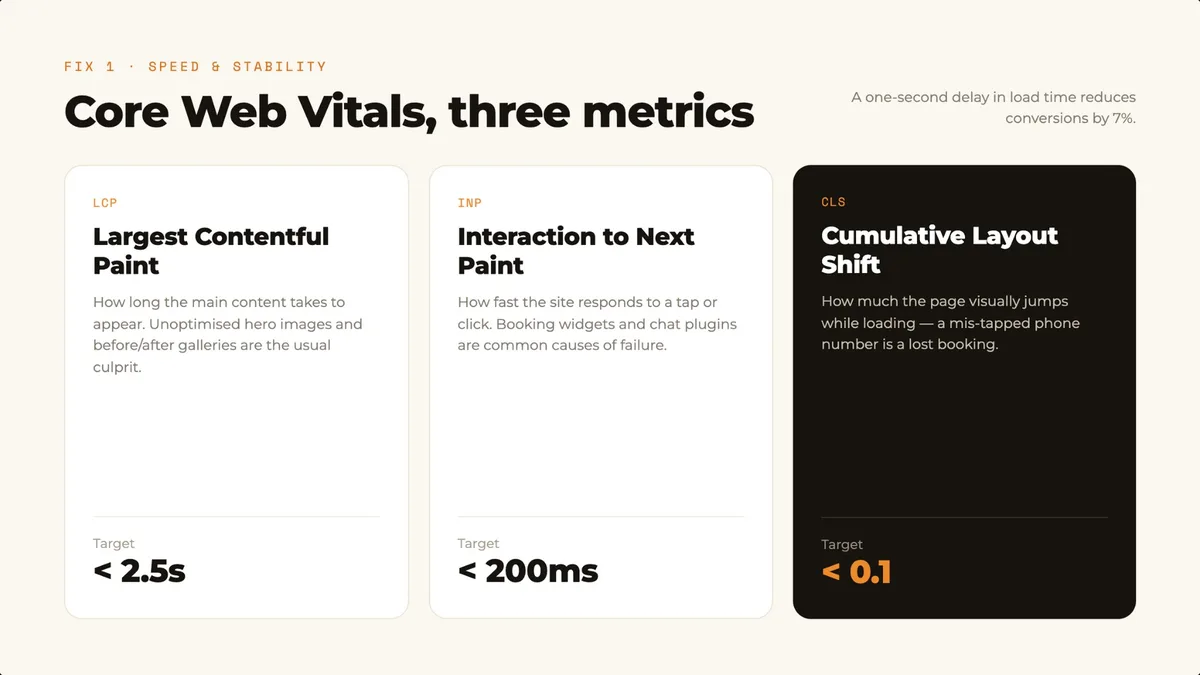
Google's Core Web Vitals are three metrics that measure the quality of experience a visitor has on your website. They are an active ranking factor: when two dental websites are otherwise equal on content and authority, the one with better Core Web Vitals will rank higher. In competitive urban markets they're often the margin between position two and position four.
- Largest Contentful Paint (LCP): how long the main content takes to appear. Target under 2.5 seconds. Most dental websites fail this because of unoptimised hero images and before-and-after galleries loading above the fold.
- Interaction to Next Paint (INP): how quickly your site responds when a visitor taps or clicks. Target under 200 milliseconds. Booking widgets, chat plugins and review widgets are common causes of failure.
- Cumulative Layout Shift (CLS): how much the page visually shifts as it loads. Target under 0.1. A patient tapping what they think is a phone number only to have the page shift is both a CLS failure and a lost booking.
Improving LCP from a failing 4.0 seconds to the passing threshold of 2.5 seconds can increase conversion rates by up to 15%, according to Google's Think with Google research. A one-second delay in page load time reduces conversions by 7%, and 53% of mobile visitors abandon a page that takes longer than three seconds to load.
- Compress and resize images before uploading. Serve WebP and size images to their maximum display dimensions.
- Defer or remove non-essential scripts. Audit which booking widgets, chat plugins, pixels and review badges are genuinely necessary.
- Choose hosting that matches the workload. Managed hosting with a content delivery network consistently outperforms budget shared hosting on LCP.
Google evaluates your site through its mobile version first, and the clear majority of dental website visits happen on mobile. Test on a real phone over a cellular connection, not office Wi-Fi on a laptop. This is also where a rebuild often pays for itself faster than any other fix.
Fix 2: crawlability, making sure Google can actually see your site
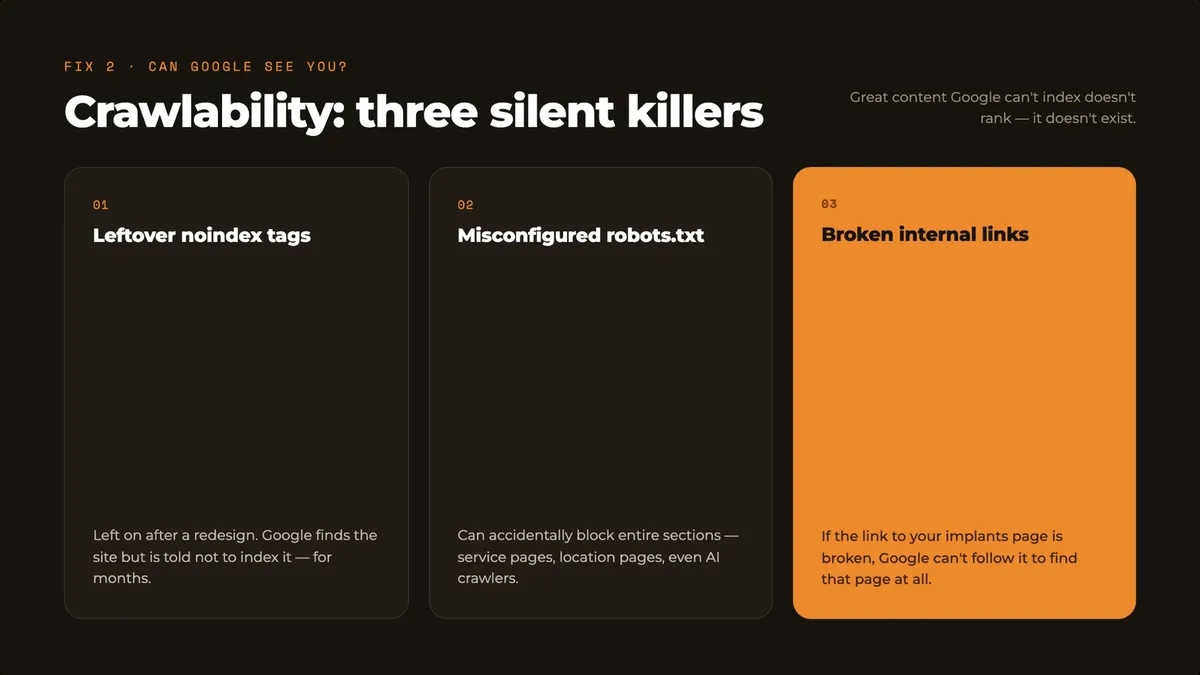
- Leftover noindex tags post-redesign. Developers add a noindex tag during development and frequently forget to remove it on launch. Check the Indexing report in Google Search Console.
- Misconfigured robots.txt. This can accidentally block entire sections of your website, including service pages, location pages and AI crawlers like GPTBot.
- Broken internal links. If your homepage links to your implants page and that link is broken, Google can't follow it to discover and index that page.
- An unmaintained XML sitemap. A sitemap pointing to pages that no longer exist wastes crawl budget on dead ends instead of your live content.
Blocking GPTBot also removes you from ChatGPT's citation pool, which is why crawlability is now an AI search issue as much as a Google issue.
Fix 3: duplicate content, the problem dental sites create without knowing
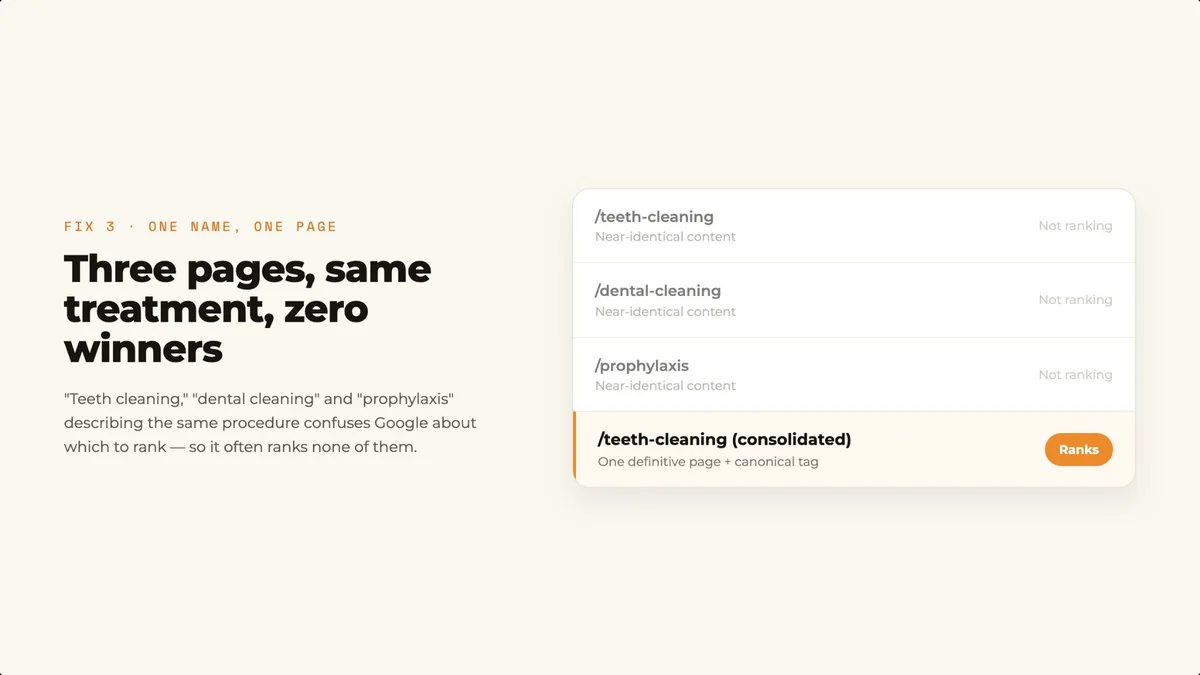
The dental-specific version looks like this: a practice has separate pages for teeth cleaning, dental cleaning and prophylaxis. All three describe the same treatment with near-identical content. Google sees three competing pages and doesn't know which to prioritise, so it may show none of them prominently.
- Consolidate treatment pages that describe the same thing into one definitive page rather than maintaining multiple thin versions.
- Use canonical tags to tell Google which version of a page is authoritative, especially for location page variations.
- Ensure all HTTP traffic redirects permanently to HTTPS and that www and non-www resolve to a single consistent URL.
- Write genuinely distinct content for each location page, not a copy-paste template.
Fix 4: schema markup, speaking Google's language
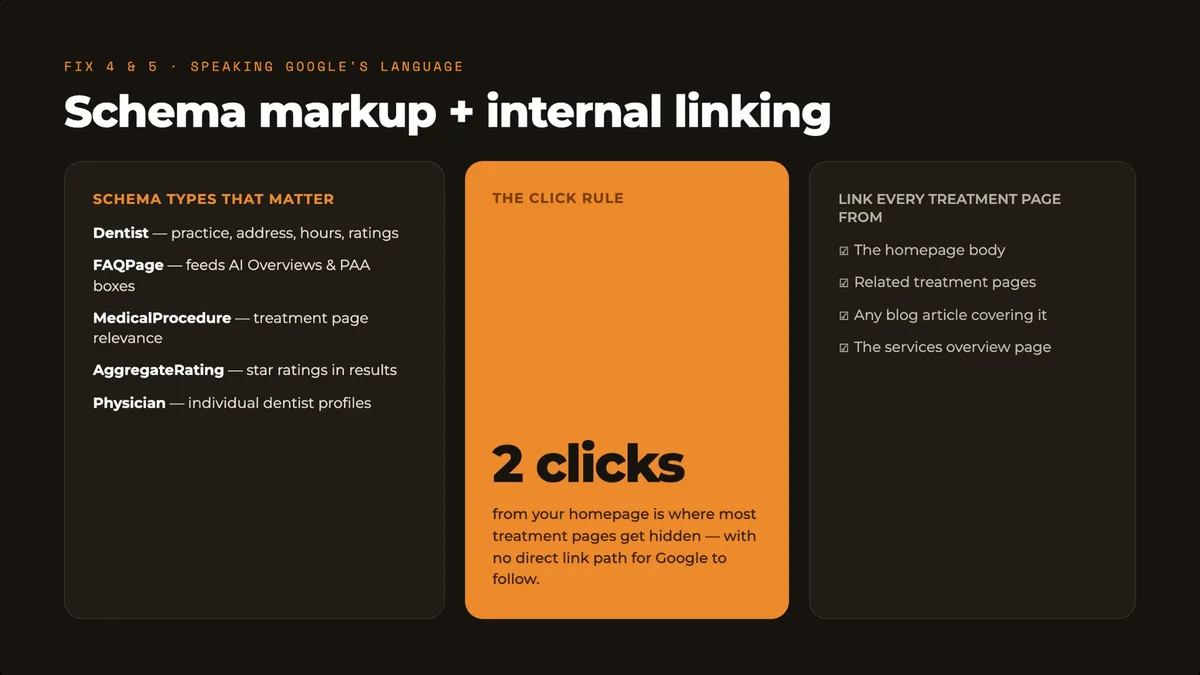
- Dentist, a subtype of LocalBusiness: the foundational layer for your homepage and every location page.
- FAQPage: goes on treatment pages with FAQ sections and directly feeds People Also Ask boxes and AI Overview citations.
- MedicalProcedure: for individual treatment pages, connecting your content to Google's medical knowledge graph.
- AggregateRating: displays your star rating directly in search results. Requires genuine, structured review data.
- Physician: for individual dentist profile pages in multi-dentist practices.
IDC research from early 2026 confirmed that schema-rich sites receive priority placement in AI Overview results. Schema must match what is actually visible on the page. Schema describing a treatment you no longer offer, or hours that differ from what is displayed, creates a trust conflict.
Fix 5: internal linking, connecting the dots Google follows
Google follows internal links to discover and understand the relationship between your pages. A dental website where the homepage links to a generic services page, which lists treatments without linking to individual treatment pages, has effectively hidden its most important content behind two clicks with no direct path.
- Implant, Invisalign and emergency pages should be linked from the homepage body, blog articles and related treatment pages, not just the navigation menu.
- Every blog article should link to at least one relevant service or treatment page.
- Every location page should be linked from both the homepage and the contact page.
How to run a basic technical audit on your dental website today
- Google Search Console Indexing report: look for pages marked as not indexed. Noindex tags and crawl errors are the priorities.
- PageSpeed Insights: enter your homepage URL and your top treatment page URL. The mobile scores are what matter.
- yoursite.com/robots.txt: check whether it's blocking pages it shouldn't be, including AI crawlers like GPTBot.
- Google's Rich Results Test: check whether your Dentist and LocalBusiness schema is valid and complete.
- Google Search: type site:yourdomain.com and scan the descriptions for near-identical text.
A proper technical audit using a crawler will surface 15 to 30 fixable issues on most dental websites. If you'd rather have that done for you, our dental SEO team runs the full audit as a first step.
Frequently asked questions
What are Core Web Vitals and do they really affect my dental website's rankings?
Core Web Vitals are three metrics Google uses to measure the quality of experience on your website: LCP, INP and CLS. Google uses them as a ranking factor. When two dental websites are otherwise equal, the one with better Core Web Vitals will rank higher.
What is the most common technical SEO mistake on dental websites?
Leftover noindex tags after a website redesign. If the tag isn't removed on launch, Google sees the site but won't index any of its pages. It's a silent problem that can sit undetected for months.
How does schema markup help a dental practice specifically?
Schema tells Google exactly what your content means in structured, machine-readable code, so Google can confirm your practice type, address, hours, services and patient ratings rather than inferring them from text. It also feeds AI Overviews and Gemini directly.
What is duplicate content and how does it affect dental websites?
Duplicate content means multiple pages on your site contain the same or nearly identical text. Dental websites are particularly prone to this because treatments often have multiple common names and because location pages are frequently built using identical templates.
How long does it take technical SEO fixes to affect rankings?
Crawlability fixes, like removing a noindex tag or fixing a robots.txt error, can take effect within days once Google recrawls your site. Core Web Vitals improvements typically reflect in Google's field data within 28 days.
Should I fix technical SEO before or after creating new content?
Technical SEO first. Creating new content on a site that's blocking Google from crawling it, or loading in six seconds on mobile, produces content Google may never see and patients may never stay to read.
Want results like these for your clinic?
Book a free audit and we'll show you exactly where the opportunities are.